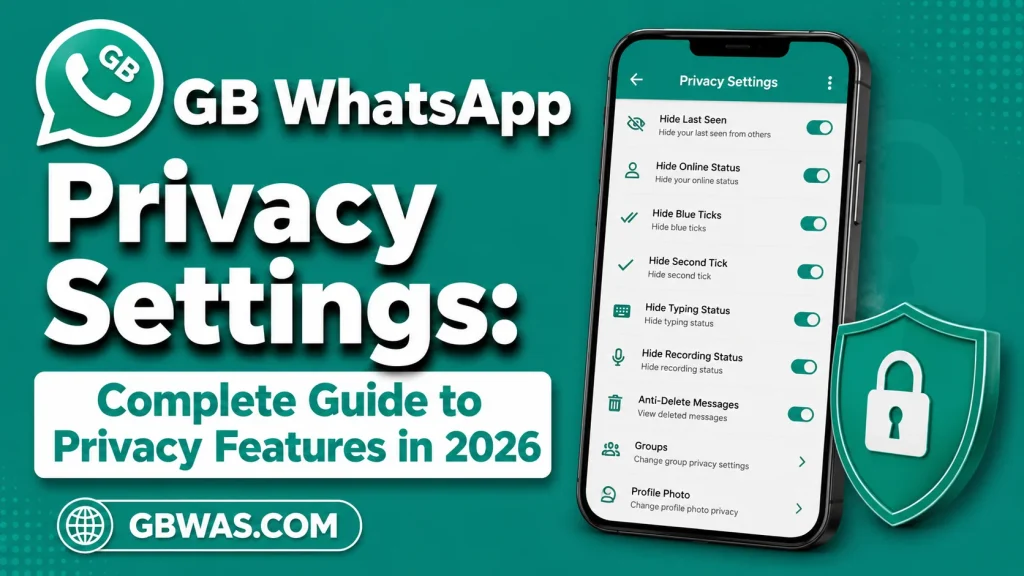
GB WhatsApp Privacy Settings: Complete Guide to Privacy Features in 2026
Privacy is one of the main reasons people search for GB WhatsApp. Many users are interested in additional controls that may let them customize online visibility, typing indicators, read receipts, status visibility, and other activity settings.
GB WhatsApp is an unofficial third-party modification of WhatsApp, so privacy features can vary between versions. Some options may work differently after application or server changes, and no unofficial feature should be considered a guarantee of complete privacy.
This guide explains the commonly advertised GB WhatsApp privacy settings, what they do, how to use them, common problems, and important privacy considerations for 2026.
What Are GB WhatsApp Privacy Settings?
GB WhatsApp privacy settings are additional controls designed to give users more control over how certain activity information appears to other contacts.
Depending on the version, these options may include controls for:
- Online status
- Last seen
- Blue ticks
- Second ticks
- Typing status
- Recording status
- Status visibility
- Profile information
- Calls
- Chats
The exact options can differ between GB WhatsApp builds.
GB WhatsApp Privacy Features at a Glance
| Privacy Option | Availability |
|---|---|
| Hide online status | Commonly advertised |
| Hide last seen | Available |
| Hide blue ticks | Available |
| Hide second ticks | Available in some builds |
| Hide typing status | Commonly advertised |
| Hide recording status | Commonly advertised |
| Status privacy | Available |
| App lock | Available in some builds |
| Chat privacy tools | Version dependent |
| Official WhatsApp support | No |
Why Do Users Use GB WhatsApp Privacy Settings?
Users may want more control over their messaging activity.
For example, someone may not want contacts to know when they are online or typing a message.
Others may prefer to read messages without immediately showing a read indicator.
These preferences are mainly about controlling visible activity rather than providing complete device security.
1. Hide Online Status
One of the most commonly advertised GB WhatsApp privacy features is the ability to hide online activity.
When available, this setting can reduce the visibility of your online presence to other contacts.
The exact behavior depends on the installed version and WhatsApp’s current service behavior.
Users should not assume that hiding online status means that all activity becomes invisible.
2. Hide Last Seen
Last seen information shows when an account was recently active.
GB WhatsApp may provide additional controls for this information.
Users can often choose whether their last-seen information is visible to contacts.
Remember that privacy settings can work differently depending on the version.
3. Hide Blue Ticks
Blue ticks generally indicate that a message has been read.
Some GB WhatsApp versions provide additional controls for read receipts.
This can allow users to reduce or customize the visibility of their message-reading activity.
However, users should understand that privacy controls may affect their own ability to see certain indicators as well.
4. Hide Second Tick
Some GB WhatsApp builds advertise controls for message delivery indicators.
The second tick is commonly associated with message delivery.
A modified application may provide additional options for controlling how these indicators appear.
Because this is an unofficial feature, its behavior can vary significantly between versions.
5. Hide Typing Status
Typing indicators can tell another user that you are currently composing a message.
GB WhatsApp may provide an option to hide this indicator.
This can be useful for people who want to compose messages without displaying their activity.
However, the setting may not work consistently after service changes.
6. Hide Recording Status
Some builds also provide controls for voice-recording indicators.
This can potentially prevent contacts from seeing that you are recording a voice message.
The feature is version dependent and should not be considered guaranteed.
7. Status Privacy
WhatsApp Status lets users share temporary updates with contacts.
Privacy controls can determine who can see those updates.
GB WhatsApp may provide additional status-related settings depending on the build.
Users should always check the audience before publishing personal information.
8. Profile Privacy
Some versions may provide additional options related to profile information.
This can include visibility controls for:
- Profile picture
- About information
- Status
- Last seen
- Online activity
Users should review these settings carefully instead of assuming that all profile information is automatically hidden.
9. App Lock
Some GB WhatsApp versions provide an application lock.
This can require authentication before someone opens the application.
An app lock can be useful when sharing a device with family members or when you want an additional barrier against casual access.
However, an app lock does not replace a strong device passcode.
10. Chat Lock and Conversation Privacy
Certain builds may offer additional tools for protecting selected conversations.
The availability and design of these tools vary.
Users should remember that application-level privacy features are only one part of protecting personal information.
A secure device lock and careful account management remain important.
11. Privacy for Groups
Group conversations can expose information to multiple participants.
Depending on the version, GB WhatsApp may offer additional settings related to group activity or notifications.
However, an unofficial application cannot necessarily override server-controlled group permissions.
Users should avoid assuming that a modified client can bypass every WhatsApp restriction.
12. Privacy for Calls
Some GB WhatsApp builds advertise additional controls for calls.
These may include settings related to incoming calls or call notifications.
The exact features depend on the version.
Users should also remember that privacy settings do not necessarily prevent all communication attempts from reaching the device.
How to Access GB WhatsApp Privacy Settings
The menu structure can vary between releases.
In many builds, users can look for a privacy or customization section inside the application’s settings.
A typical process is:
- Open GB WhatsApp.
- Open the main menu.
- Select Settings.
- Look for Privacy or related customization options.
- Review the available controls.
- Enable the settings you actually need.
- Test the result with a trusted contact if appropriate.
Do not assume that every GB WhatsApp version uses the same menu names.
How to Hide Online Status
If your installed build provides an online privacy option, open the relevant privacy settings and review the available online visibility controls.
Select the preferred option and save the setting if required.
After changing the option, give the application a moment to apply the change.
If the setting does not work, restart the application and check whether the version supports the feature correctly.
How to Hide Blue Ticks
Open the privacy settings and locate the read-receipt controls.
If your version provides separate controls for blue ticks, select the preferred setting.
Some builds may separate individual and group conversation behavior.
Check the available options carefully rather than changing multiple settings at once.
How to Hide Typing Status
Look for typing-related privacy controls.
If available, enable the option to prevent typing activity from being displayed.
Send a test message to a trusted contact if you want to confirm whether the feature behaves as expected.
Privacy Settings and Notifications
Privacy controls and Android notifications are different systems.
Even if an application hides an activity indicator, Android notifications may still display message previews.
If privacy is important, review your phone’s notification settings as well.
You can usually control whether message content appears on the lock screen through Android’s notification settings.
GB WhatsApp Privacy vs Official WhatsApp Privacy
| Category | Official WhatsApp | GB WhatsApp |
|---|---|---|
| Last seen controls | Yes | Yes |
| Online visibility | Yes | Additional options in some builds |
| Read receipts | Yes | Additional controls in some builds |
| Typing privacy | Limited/varies | Commonly advertised |
| Recording privacy | Limited/varies | Commonly advertised |
| Status privacy | Yes | Additional options may exist |
| App lock | Available through supported features/device options | Available in some builds |
| Official support | Yes | No |
The main advantage promoted by GB WhatsApp is greater customization.
However, official WhatsApp provides a supported privacy system within the official application.
Privacy Does Not Mean Complete Security
This distinction is extremely important.
A privacy setting can control what another person sees.
Security protects your information against unauthorized access and malicious software.
For example, hiding your online status does not protect your account if someone obtains access to your phone.
Likewise, a customized privacy setting does not make an unofficial APK automatically secure.
Protect Your GB WhatsApp Account
If you use any messaging application, follow basic account-security practices.
Never Share Verification Codes
Do not give verification codes to websites, strangers, or unofficial services.
Use a Strong Device Lock
Protect your phone with a secure passcode or supported authentication method.
Avoid Suspicious APK Files
Only consider software from sources you have carefully evaluated.
Review Permissions
Check which permissions the application requests.
Keep Important Data Backed Up
Maintain appropriate backups of information that you cannot afford to lose.
Common GB WhatsApp Privacy Problems
Online Status Still Appears
The feature may not work correctly with your particular build or after a service change.
Blue Ticks Are Still Visible
Check whether the correct privacy setting is enabled and whether the application needs to be restarted.
Typing Indicator Cannot Be Hidden
Some versions may not support the feature correctly.
Privacy Settings Reset
An application update or theme change may reset certain settings.
App Lock Does Not Work
Check whether the feature is enabled and whether Android security settings are interfering with it.
Why Privacy Features May Stop Working
GB WhatsApp is a third-party modification.
WhatsApp can change its backend systems without providing support for modified applications.
As a result, a privacy function that works in one release may behave differently after an update.
This is one of the limitations users should understand before relying on unofficial privacy tools.
Are GB WhatsApp Privacy Features Safe?
There is no universal answer for every build.
The application is unofficial, and different versions may come from different developers or distribution sources.
Users should therefore consider:
- Where the APK came from
- What permissions it requests
- Whether the file appears modified
- Whether security warnings appear
- Whether the version is compatible
- Whether the developer or distributor is trustworthy
Avoid assuming that a feature labeled “privacy” automatically provides stronger security.
Avoid Privacy-Related Scams
Some websites claim to provide special GB WhatsApp privacy tools or account protection.
Be cautious if a website asks for:
- Your phone number
- Verification codes
- Passwords
- Payment information
- Remote device access
- Additional unknown applications
Never provide account verification information to an unrelated website.
GB WhatsApp Privacy Settings for Beginners
If you are new to GB WhatsApp, start with only the privacy settings you actually need.
A simple setup could involve reviewing:
- Last seen
- Online visibility
- Read receipts
- Typing indicator
- Status audience
- Profile picture visibility
- App lock
Changing too many settings at once can make troubleshooting more difficult.
Privacy Settings for Personal Chats
For personal conversations, users may prefer stronger activity privacy.
You can review read receipts, online visibility, and typing indicators according to your preferences.
However, remember that the person you are communicating with may still have other ways of knowing that you are active, such as receiving a message or seeing your response.
Privacy Settings for Groups
Group chats are different because multiple people can see information shared inside them.
Be careful when posting:
- Personal photographs
- Phone numbers
- Addresses
- School information
- Private conversations
- Sensitive documents
Privacy settings cannot guarantee that another group member will not save or redistribute information you share.
Privacy Settings and Screenshots
No messaging privacy feature can guarantee that another person will not capture information using another device.
Even if an application limits certain functions, recipients may still be able to record information externally.
Therefore, only share information with people you trust.
GB WhatsApp Privacy and Screenshots
Some modified versions may advertise additional screenshot controls.
However, such features can vary and may not prevent all forms of copying.
Never assume that a privacy setting makes a conversation impossible to save or share.
GB WhatsApp Privacy and Deleted Messages
Some builds advertise anti-delete features.
These may preserve certain content that another user removes.
However, this does not mean that deleted information can always be recovered.
Users should also consider the privacy implications of retaining content that another person expected to disappear.
Privacy After Updating GB WhatsApp
After an update, review your privacy settings again.
Important settings can sometimes change or reset.
Check:
- Online visibility
- Last seen
- Read receipts
- Status privacy
- Profile privacy
- App lock
- Notifications
This quick review can prevent unexpected privacy changes.
GB WhatsApp Privacy Checklist
Before using privacy features, check the following:
- Review online visibility.
- Review last-seen settings.
- Check read receipts.
- Review typing privacy.
- Check recording privacy.
- Review Status audience.
- Protect the application with an appropriate lock.
- Review Android notifications.
- Check application permissions.
- Never share verification codes.
Frequently Asked Questions
What are GB WhatsApp privacy settings?
They are additional controls found in some GB WhatsApp builds that can modify the visibility of online activity, read receipts, typing indicators, and other information.
Can GB WhatsApp hide online status?
Some builds provide additional controls for online visibility, but functionality can vary between versions.
Can GB WhatsApp hide blue ticks?
Many builds advertise additional read-receipt controls, although exact behavior depends on the version.
Can GB WhatsApp hide typing status?
Some versions provide this feature.
Can GB WhatsApp hide recording status?
Certain builds advertise controls for recording indicators.
Does GB WhatsApp provide better security?
Not necessarily. More privacy controls do not automatically mean stronger application security.
Is GB WhatsApp officially supported?
No. GB WhatsApp is an unofficial third-party modification.
Can privacy settings prevent screenshots?
No privacy setting should be treated as a complete guarantee that another person cannot copy or record information.
Do GB WhatsApp privacy settings always work?
No. Features can vary between versions and may be affected by WhatsApp service changes.
Should I share my verification code to activate privacy features?
No. Never give your verification code to an unrelated website, application, or person.
Final Thoughts
GB WhatsApp privacy settings are among the most commonly searched features of the modified application. Options for online visibility, last seen, read receipts, typing indicators, recording indicators, Status privacy, and application locking can provide additional customization depending on the version.
However, users should understand the difference between privacy and security. A privacy feature may change what contacts can see, but it does not automatically make an unofficial application secure.
If you use GB WhatsApp, review privacy settings carefully after installation and after every major update. Protect your phone, avoid suspicious APK sources, review application permissions, and never share verification codes.
For more guides about GB WhatsApp privacy, themes, features, updates, installation, PC compatibility, iOS information, and troubleshooting, GBWAS.COM can provide useful informational content for users exploring different messaging options.