GB WhatsApp Download for PC/Windows: Complete Guide for Desktop Users
Many users search for GB WhatsApp Download for PC because they want to access their conversations on a larger screen while enjoying the customization options associated with GB WhatsApp. GB WhatsApp is primarily an Android-based modified version of WhatsApp, so using it on a Windows computer is different from installing a normal Windows application.
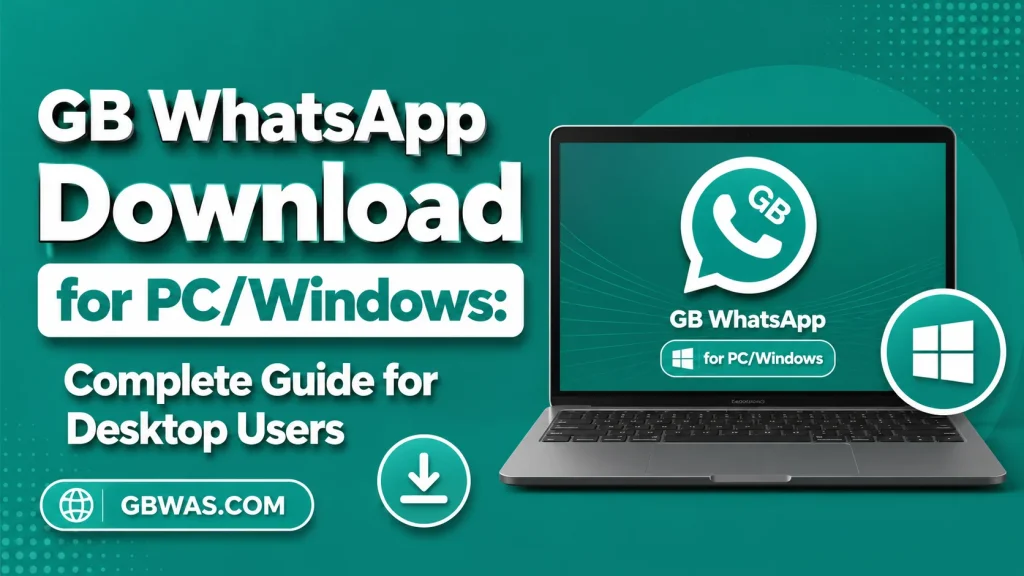
This guide explains what users should know about GB WhatsApp on PC, how Android applications can work on Windows, the available options, compatibility considerations, security concerns, common problems, and safer alternatives for desktop messaging.
What Is GB WhatsApp for PC?
GB WhatsApp is an unofficial modification of WhatsApp that is primarily designed for Android devices. Unlike a standard Windows application, it is generally distributed as an APK file, which is the package format used by Android.
Because Windows does not normally install Android APK files as native desktop programs, users searching for GB WhatsApp for Windows 10 or Windows 11 should understand that there is no official native Windows version of GB WhatsApp developed by Meta.
Some users attempt to run Android applications on computers through Android-compatible environments. This can provide a way to access certain Android applications on a larger display, but the experience depends on the software and computer being used.
Is There an Official GB WhatsApp PC Version?
No official native GB WhatsApp Windows application is provided by Meta.
This is one of the most important points to understand before downloading anything labeled “GB WhatsApp for PC.” GB WhatsApp is a third-party modification, while official WhatsApp has separate solutions for computers.
Websites may use phrases such as “GB WhatsApp PC version” or “GB WhatsApp Windows APK,” but these names do not mean that the software is an official Microsoft or Meta application.
A genuine Windows executable claiming to be an official GB WhatsApp program should therefore be treated cautiously.
GB WhatsApp APK vs Windows Application
An APK and a Windows application are different types of software packages.
| Type | Main Platform | Typical File Format |
|---|---|---|
| Android application | Android | APK |
| Windows application | Windows | EXE/MSIX and related formats |
| iPhone application | iOS | IPA internally |
| Official WhatsApp Web | Browser | Web-based |
A GB WhatsApp APK is designed for Android. It is not automatically compatible with Windows simply because it can be downloaded onto a computer.
This distinction can help users avoid downloading suspicious files that are incorrectly advertised as official PC versions.
Why Do People Want GB WhatsApp on PC?
There are several reasons users search for a desktop version.
Larger Screen
A computer monitor can make conversations easier to read than a smartphone display, especially when working for extended periods.
Keyboard Convenience
Typing long messages with a physical keyboard can be faster and more comfortable for many users.
File Management
People who regularly work with documents, images, and other files may prefer managing conversations from a computer.
Multitasking
A desktop environment makes it easier to keep a conversation open while working in another application.
Familiar Desktop Experience
Users who spend most of their time on Windows may prefer having messaging available without constantly switching to their phone.
These benefits explain the demand for GB WhatsApp PC, even though GB WhatsApp itself is primarily designed for Android.
Can GB WhatsApp APK Run Directly on Windows?
Normally, an Android APK cannot simply be double-clicked and installed as a standard Windows application.
Android and Windows use different operating environments, application frameworks, and system interfaces. As a result, an Android application requires an appropriate compatibility layer or Android environment to run on a Windows computer.
Users should also understand that installing an APK on a computer through an unfamiliar third-party tool introduces another security consideration.
For this reason, downloading random “APK to EXE converters” or unknown Windows installers is not recommended.
Android Environments on Windows
Some software environments can run Android applications on computers. Historically, Android emulators have been used for this purpose, allowing Android applications to operate inside a virtualized or compatibility environment.
However, compatibility can change depending on the Android application, Windows version, emulator version, hardware, and security configuration.
GB WhatsApp can be especially complicated because it is itself an unofficial modification rather than a standard application.
A user may therefore encounter problems that do not occur with the official WhatsApp desktop application.
Windows 10 and GB WhatsApp
Windows 10 users may search specifically for GB WhatsApp Download for Windows 10.
The main issue remains the same: GB WhatsApp is not an official Windows application. If an Android environment supports the required application, users may technically be able to experiment with Android software, but that does not make GB WhatsApp a native Windows program.
Windows 10 users should also consider whether their computer meets the hardware requirements of the Android environment they plan to use.
Windows 11 and GB WhatsApp
Windows 11 introduced additional support for certain Android application scenarios, but availability and functionality can depend on Microsoft’s current software ecosystem and regional support.
Users should not assume that every Android APK will work correctly on every Windows 11 installation.
Modified applications can have additional compatibility problems because their behavior may differ from standard Android applications.
Therefore, the phrase GB WhatsApp Windows 11 should not be interpreted as an official Windows edition.
System Requirements
The requirements for running an Android-based application on a Windows computer vary depending on the method used.
For a smooth experience, a computer should generally have:
- A reasonably modern Windows installation
- Adequate RAM
- Sufficient free storage
- A modern processor
- Updated graphics drivers
- Stable internet access
- Security software enabled
If an Android environment is used, it may require additional memory and processor resources.
Older computers may experience slow performance, application freezes, or excessive resource usage.
How GB WhatsApp on PC Generally Works
The basic concept is straightforward.
An Android-compatible environment provides the software layer needed to run an Android application. The GB WhatsApp APK is then handled within that Android environment rather than being installed as a conventional Windows application.
The actual setup process varies significantly between tools and Windows versions. Because unofficial APK sources can contain modified or unsafe files, users should carefully verify any software before installing it.
The important point is that GB WhatsApp does not become an official PC application simply because it runs inside another environment.
GB WhatsApp Web vs GB WhatsApp on PC
These two terms are often confused.
GB WhatsApp on PC generally refers to attempting to run the Android-based modified application through a desktop environment.
GB WhatsApp Web is often used online to describe browser-based access to a GB WhatsApp account, but users should be cautious because there is no official Meta-operated “GB WhatsApp Web” service.
Official WhatsApp Web is a separate service intended for accessing an official WhatsApp account from a browser.
For users who simply need WhatsApp messaging on a computer, official desktop or web access is usually easier and more clearly supported.
Is GB WhatsApp PC Safe?
Safety depends on both the application and the environment used to run it.
GB WhatsApp is not maintained as an official WhatsApp application, and APK files are commonly distributed outside official app stores. This creates additional risks.
A modified APK can potentially contain unwanted code, excessive permissions, tracking components, or other undesirable behavior. The risk is not necessarily the same for every release, but users should not assume that an APK is safe simply because a website calls it “latest” or “secure.”
Important Safety Tips
Before using any third-party Android application on a PC:
- Use a trusted Android environment.
- Avoid suspicious Windows installers.
- Avoid cracked or repackaged versions.
- Review application permissions.
- Keep Windows updated.
- Keep security software enabled.
- Avoid entering sensitive information into unfamiliar applications.
- Do not trust guaranteed “anti-ban” claims.
- Keep important data backed up.
- Remove software that behaves unexpectedly.
Common GB WhatsApp PC Problems
Running a mobile modification on a computer can produce several problems.
Installation Failure
The APK may not install correctly because of an incompatible Android environment, damaged file, unsupported Android version, or insufficient resources.
App Crashes
GB WhatsApp may close unexpectedly because the modified application is incompatible with the Android environment.
Slow Performance
Running an Android environment consumes additional system resources. Computers with limited RAM or older processors may experience noticeable slowdowns.
Login Problems
Phone-number verification can be problematic when using unofficial applications. Network problems, compatibility issues, or account restrictions can also contribute.
Notification Problems
Notifications may not work correctly if the Android environment does not handle background processes properly.
Camera and Microphone Problems
Calls and voice features can depend on Windows permissions and the Android environment’s access to the computer’s microphone and camera.
File Access Issues
Android applications may not automatically have access to Windows folders. Users may need to configure file-sharing or permissions inside the Android environment.
How to Fix GB WhatsApp PC Crashes
If the application repeatedly crashes, start with basic troubleshooting.
First, restart the Android environment and the computer. Temporary resource or process problems can sometimes cause application instability.
Next, check whether the Android environment is updated. An outdated environment may not properly support newer applications.
You should also check available RAM and storage. Running multiple demanding applications simultaneously can reduce the resources available to the Android environment.
If the problem continues, the specific GB WhatsApp build may simply be incompatible with the environment.
How to Fix Login Problems
Login issues can be particularly frustrating with unofficial applications.
Start by checking the internet connection. Then verify that the phone number is entered correctly and that the device or environment can receive the required verification process.
Never give a verification code to another person or enter it into an unknown website.
If an unofficial application is blocked or restricted, repeatedly attempting to bypass the restriction may not solve the underlying problem. Switching to the official WhatsApp application may be the more reliable solution.
Can GB WhatsApp PC Use the Same Account?
Users often want to know whether they can use their existing WhatsApp number with GB WhatsApp on a computer.
Compatibility depends on the specific application and current WhatsApp policies. Because GB WhatsApp is unofficial, users should not assume that account behavior will be identical to official WhatsApp.
Before switching applications, make sure important conversations and media are backed up.
It is also worth remembering that account restrictions can affect users of unofficial clients.
Can GB WhatsApp Be Used Without a Phone?
GB WhatsApp is designed primarily as an Android application, so users should not assume that it can operate independently on Windows in the same way as a native desktop application.
An Android environment may provide the operating environment required to launch the application, but account verification and messaging functionality can still depend on the application’s current behavior.
For normal desktop messaging, official WhatsApp’s supported computer options are generally more straightforward.
GB WhatsApp for PC: Advantages and Disadvantages
| Advantages | Disadvantages |
|---|---|
| Larger display | No official native Windows version |
| Physical keyboard | Requires additional setup |
| Easier multitasking | Possible compatibility problems |
| Convenient desktop environment | Security concerns with third-party APKs |
| Potential access to mobile features | Account restriction concerns |
The advantages mostly relate to the desktop experience, while the disadvantages are connected to the unofficial nature of the application.
Official WhatsApp for Windows
If the main goal is simply to use WhatsApp on a PC, the official WhatsApp desktop application is usually the more practical choice.
Official software has a defined update process and is maintained by the company behind WhatsApp. It also avoids the need to run an unofficial Android modification inside another environment.
Users who want additional customization may still be interested in GB WhatsApp, but they should understand the distinction between an unofficial Android modification and an official desktop application.
Should You Download GB WhatsApp for PC?
There is no single answer for everyone.
If you are specifically interested in the customization options associated with GB WhatsApp, you may research how Android applications work on Windows. However, you should understand the risks and compatibility limitations before installing third-party software.
If your only goal is messaging from a computer, the official WhatsApp desktop or web experience is generally simpler.
The decision should therefore be based on your priorities rather than the claim that a website offers an “official GB WhatsApp PC version.”
Frequently Asked Questions
Is GB WhatsApp available for PC?
There is no official native Windows version of GB WhatsApp. GB WhatsApp is primarily an Android-based third-party modification.
Can I install a GB WhatsApp APK directly on Windows?
An Android APK is not normally a native Windows application. An Android-compatible environment may be required.
Is GB WhatsApp for Windows official?
No. GB WhatsApp is an unofficial modification and is not an official Meta Windows product.
Can GB WhatsApp run on Windows 11?
An Android-compatible environment may allow some Android applications to run on Windows, but compatibility with GB WhatsApp can vary.
Can I use GB WhatsApp Web?
Be cautious with websites using this name. Official WhatsApp Web and third-party “GB WhatsApp Web” services should not be treated as the same thing.
Is GB WhatsApp PC safe?
Safety depends on the specific APK, source, and software environment. Because GB WhatsApp is unofficial, users should exercise additional caution.
Can I use my existing WhatsApp number?
Some modified clients may attempt to use an existing WhatsApp number, but account compatibility and restrictions can change. Users should back up important information before switching applications.
Does GB WhatsApp have more features than WhatsApp Desktop?
GB WhatsApp modifications commonly advertise more customization features, while official WhatsApp Desktop provides the supported desktop messaging experience.
Final Thoughts
The demand for GB WhatsApp Download for PC/Windows comes from users who want the customization associated with GB WhatsApp on a larger desktop display.
However, GB WhatsApp is primarily an Android-based third-party modification, not an official Windows application. Running an APK on a PC requires an appropriate Android environment, and compatibility, security, and account-related issues should be considered carefully.
For users who simply want reliable WhatsApp messaging on Windows, the official desktop and web options are generally the most straightforward choices.
If you are researching GB WhatsApp through GBWAS.COM, always distinguish between official WhatsApp products and third-party modifications. Understanding this difference can help users make more informed decisions about compatibility, privacy, security, and account safety.